
Why Is My Printer Not Printing Words? Causes and Easy Fixes
| Jun 13, 2026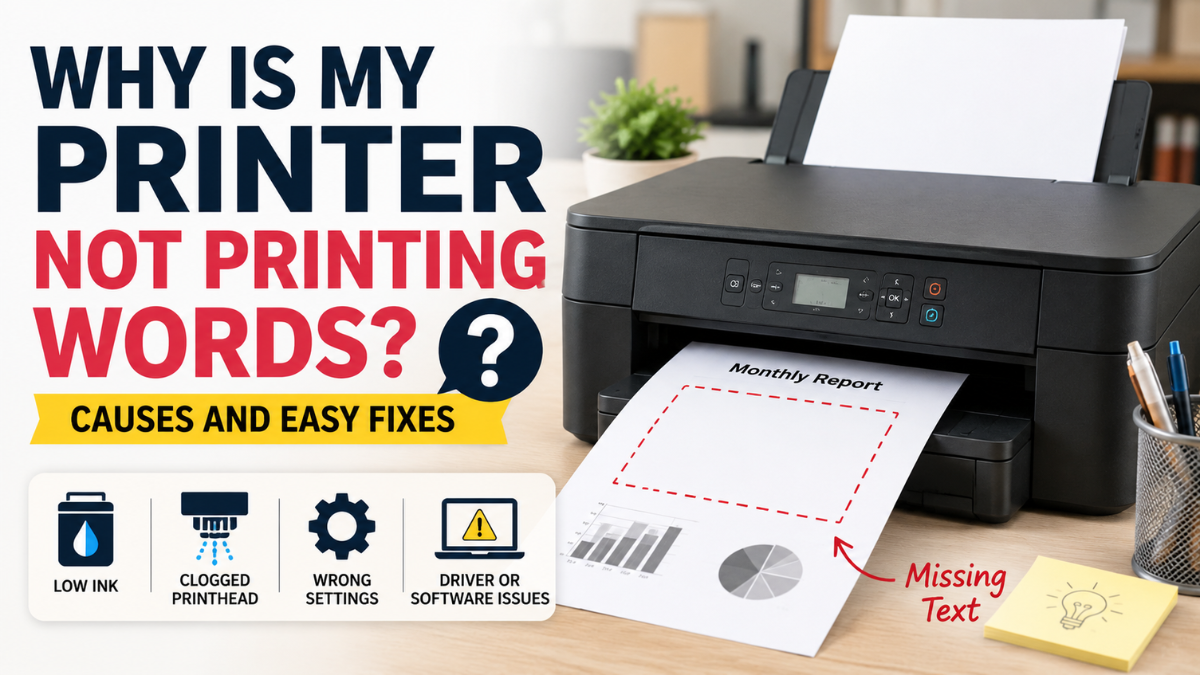
If you’re wondering, “Why is my printer not printing words?”, then you’re not alone. It can be frustrating when your printer won’t print text properly, especially when images, borders, or colors still appear on the page. Sometimes the issue is simple, while other times it may need a few troubleshooting steps to get things back on track.
The good news? In many cases, this problem is easy to fix at home without technical skills. Whether suddenly your printer not printing text or only prints part of a document, this guide explains the most common reasons behind the issue and the easiest ways to fix it fast.
Why Is My Printer Not Printing Words?
If your printer is leaving out words, missing text, or printing incomplete documents, there are usually a few common causes behind it.
The answer to why is my printer not printing words often comes down to ink problems, print settings, software issues, or clogged printheads.
Printer Not Printing Words: Common Causes
Below are the most common reasons your printer is not printing text.
Low or Empty Black Ink
One of the biggest reasons for a printer not to print texts is low or empty black ink.
Many documents rely heavily on black ink to print words and letters. Even if colored images still print properly, text may disappear completely if black ink runs low.
How to Fix It:
- Check your printer’s ink levels
- Replace low or empty cartridges
- Run a quick nozzle check after replacing ink
This is especially common in inkjet printers.
Clogged Printheads
A clogged printhead is another major reason printer not printing words problems happen.
Over time, dried ink may block nozzles, making words appear faded, incomplete, or missing.
Sometimes users think the printer is broken when the real issue is simply blocked ink flow.
How to Fix It
Most printers include a built-in cleaning feature.
Try these steps:
- Open printer settings
- Find “Maintenance” or “Tools”
- Run Printhead Cleaning
- Perform a nozzle check afterward
You may need to repeat cleaning once or twice for better results.
Incorrect Print Settings
Sometimes the problem is not hardware at all.
If you are asking yourself, why is my printer not printing text, incorrect print settings may be the cause.
Examples include:
- Draft mode enabled
- Text hidden in print settings
- Wrong paper type selected
- Grayscale or special settings interfering with printing
How to Fix It
Before printing:
- Open print preferences
- Set quality to “Standard” or “Best”
- Turn off draft mode
- Confirm text is enabled
Small setting changes often solve the problem quickly.
Outdated or Corrupted Printer Drivers
Printer drivers help your computer communicate with your printer.
If drivers become outdated or damaged, strange printing issues like a printer not printing text can happen.
For example:
- Missing text
- Formatting errors
- Slow printing
- A printer prints gibberish instead of readable words
How to Fix It
Visit your printer manufacturer’s support page and download the latest driver for your model.
After installation:
- Restart your computer
- Reconnect your printer
- Try printing again
This simple step often fixes unexpected text problems.
File or Software Problems
Sometimes the problem isn’t your printer at all.
Certain files may become corrupted, causing text to disappear.
You may notice:
- One document fails to print
- Other files print normally
- Text missing only in specific apps
How to Fix It
Try:
- Printing another document
- Saving the file again
- Exporting to PDF
- Printing from a different program
If another file works, your printer may be fine.
Other Common Printer Problems to Check
Text printing issues are only one of many common printer problems users face. Eventually, some printers would ask, “Why is my printer not printing words?”
While troubleshooting, watch for related symptoms such as:
Printer Printing Blank Pages
If the printer printing blank pages appears, low ink or clogged nozzles may be the issue.
Wireless Connection Problems
Weak Wi-Fi can interrupt communication between your device and printer.
Wrong Cartridge Installation
Improperly installed cartridges may stop text from printing correctly.
Checking these small issues can save time and frustration.
Printer Not Printing All Text? Missing Words Explained
Another frustrating issue is a printer not printing all text situation.
You may notice:
- Missing letters
- Incomplete words
- Random blank spaces
- Cut-off sentences
This usually points to partial ink blockage or communication errors.
How to Fix It
Try this troubleshooting checklist:
- Restart printer and computer
- Clean printheads
- Replace low ink cartridges
- Update printer drivers
- Print another file to compare results
Sometimes the issue is file-specific rather than printer-related.
How to Fix Printer Not Printing Text Fast
If you want a quick solution, follow this order:
Step 1: Check Ink Levels
Low black ink is one of the top causes.
Step 2: Restart Everything
Turn off both printer and computer for one minute.
Step 3: Run Printhead Cleaning
This often restores missing text.
Step 4: Update Printer Drivers
Old drivers can trigger text problems.
Step 5: Print a Test Page
This helps confirm whether the problem is fixed.
In many cases, users asking why is my printer not printing words solve the issue after trying just one or two of these steps.
Final Thoughts
A printer not printing text can feel frustrating, especially when you need documents urgently. Fortunately, the problem is often caused by something simple like low ink, clogged printheads, outdated drivers, or incorrect settings.
If you have been asking, why is my printer not printing words, the good news is that most issues can be fixed at home without expensive repairs. Start with the easiest fixes first, work through the troubleshooting steps, and you’ll often have your printer working again in no time.
Frequently Asked Questions
1. Why is my printer not printing words but printing pictures?
This usually happens because of low black ink, clogged printheads, or software issues. A printer not printing text only pictures problem is more common than many users realize.
2. Why is my printer not printing text?
A printer not printing text issue may be caused by low ink, incorrect print settings, blocked printheads, or outdated printer drivers.
3. Why is my printer not printing all text?
A printer not printing all text issue often points to partial nozzle clogs, low ink, or document formatting problems.
4. Why does my printer print gibberish instead of words?
If your printer prints gibberish, damaged printer drivers or corrupted files may be the cause. Reinstalling drivers often fixes the issue.
5. How do I fix a printer not printing words?
Start by checking ink levels, cleaning printheads, restarting the printer, and updating drivers. Most printer not printing words issues can be solved using these basic steps.
Related Articles
Printer Won’t Print: Top 15 FAQs & Fixes
Why Is My Printer Printing Blank Pages: Explore Easy Fixes!